Most "tile calculators" tell you how many tiles to buy — but not how those tiles should be laid, where cuts will land, or how waste accumulates across a real room. The best tile layout app should generate an actual layout, not just an estimate.
What a Tile Layout App Should Do
A proper tile layout app should answer questions like:
- Where do full tiles land?
- Where do cuts occur, and how big are they?
- How does the layout change if I shift the starting point?
- How much waste does this pattern actually produce?
Most tools on the market don't answer those questions. They focus on visualization or basic math, not layout logic.
The Problem With Most Tile Planning Tools
Many popular tools fall into one of two categories:
Visualizers
These are useful for seeing how a tile looks in a room photo, but they don't generate a real layout. There's no notion of cut tiles, edge conditions, or material optimization.
Simple Calculators
These take room dimensions and tile size and return a tile count. They assume ideal conditions and uniform waste percentages. They don't reflect how tile actually gets installed.
Neither is sufficient if you're trying to plan an install accurately.
What Makes TilePlan Different
TilePlan is built around one core idea: generate the actual tile layout, not just an estimate.
Instead of treating the room as a number, TilePlan treats it as geometry.
Real Layout Generation
TilePlan produces a full layout showing every full tile, every cut tile, and edge conditions along walls and obstacles. This makes it immediately obvious where awkward cuts occur and whether a layout should be adjusted before installation begins.
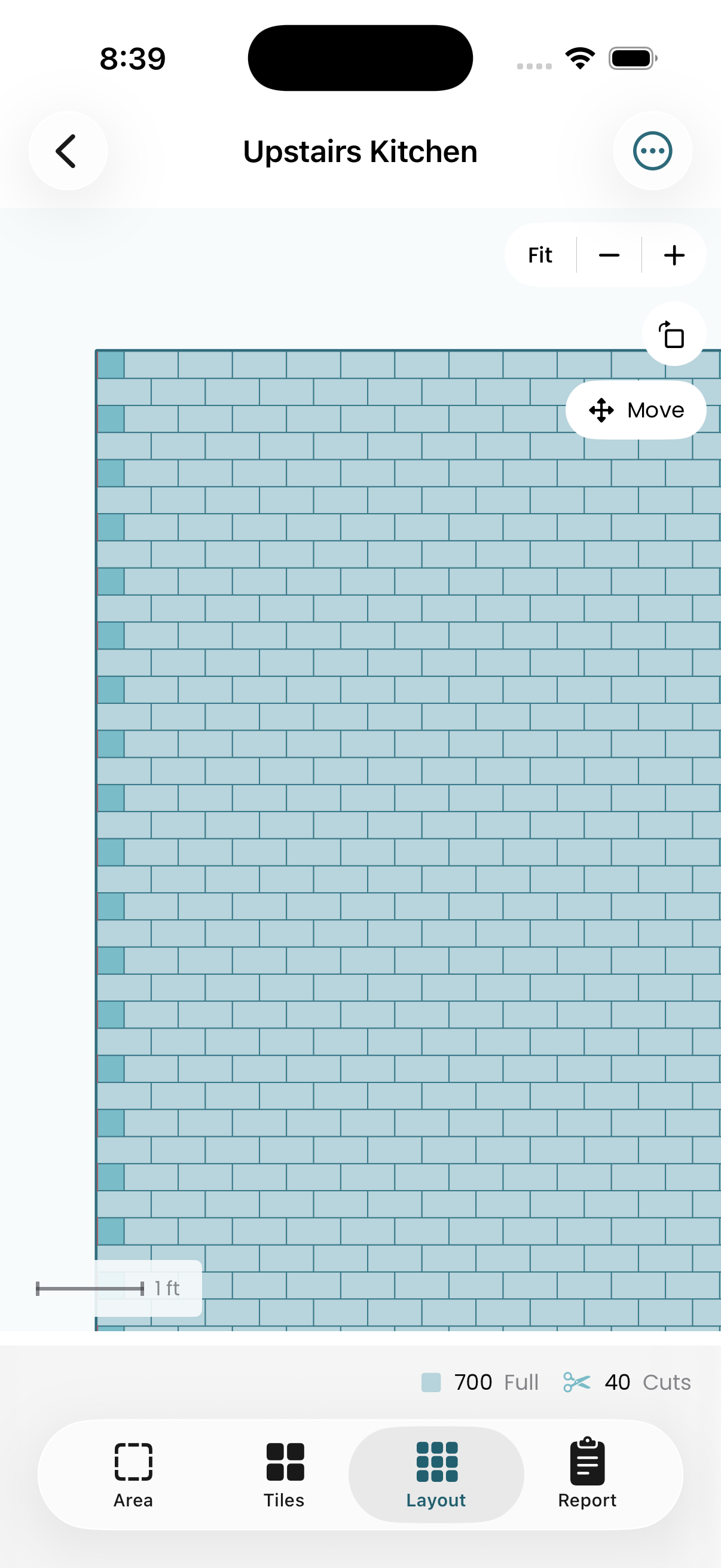
You can drag the tile grid to offset the starting position — shifting the layout to balance cuts on opposite walls or align tiles to a focal point. The layout updates live as you adjust.
Custom Room Shapes
Most rooms are not perfect rectangles. TilePlan supports rectangular rooms, L-shaped rooms, and arbitrary polygon rooms. You can model real spaces accurately instead of approximating them.
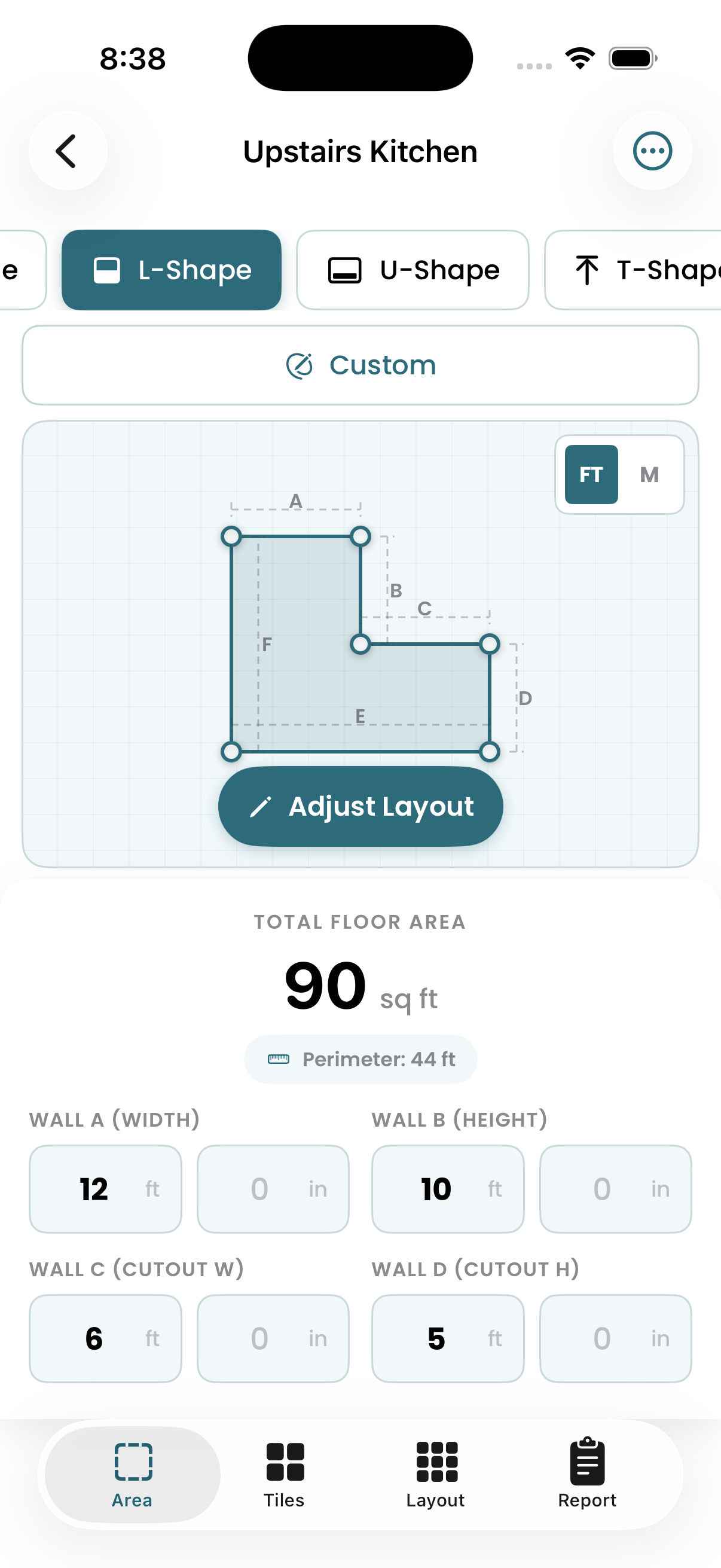
The room editor lets you drag corner points to match your actual floor plan. Add alcoves, closets, and angled walls — the layout engine handles it all.
Pattern-Aware Planning
TilePlan supports common tile layout patterns like straight lay, offset, diagonal, and herringbone. Each pattern is treated differently in the layout logic, so material counts and cuts reflect reality rather than assumptions.
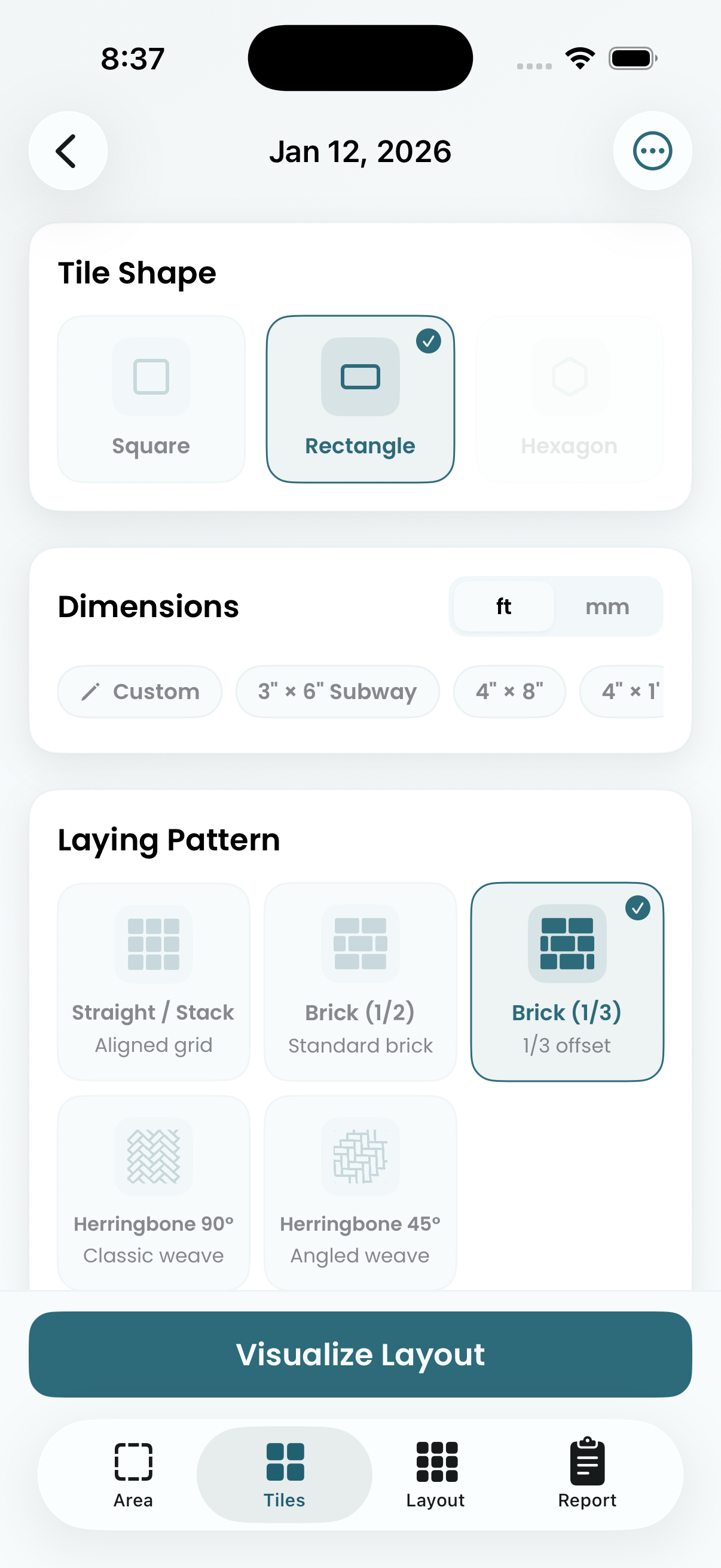
A herringbone pattern generates fundamentally different cuts than a straight lay. TilePlan knows this because it's producing the actual layout, not applying a flat percentage.
Cut Lists and Material Counts
Because TilePlan generates a true layout, it can produce accurate tile counts, realistic waste estimates, and cut lists based on the layout itself.
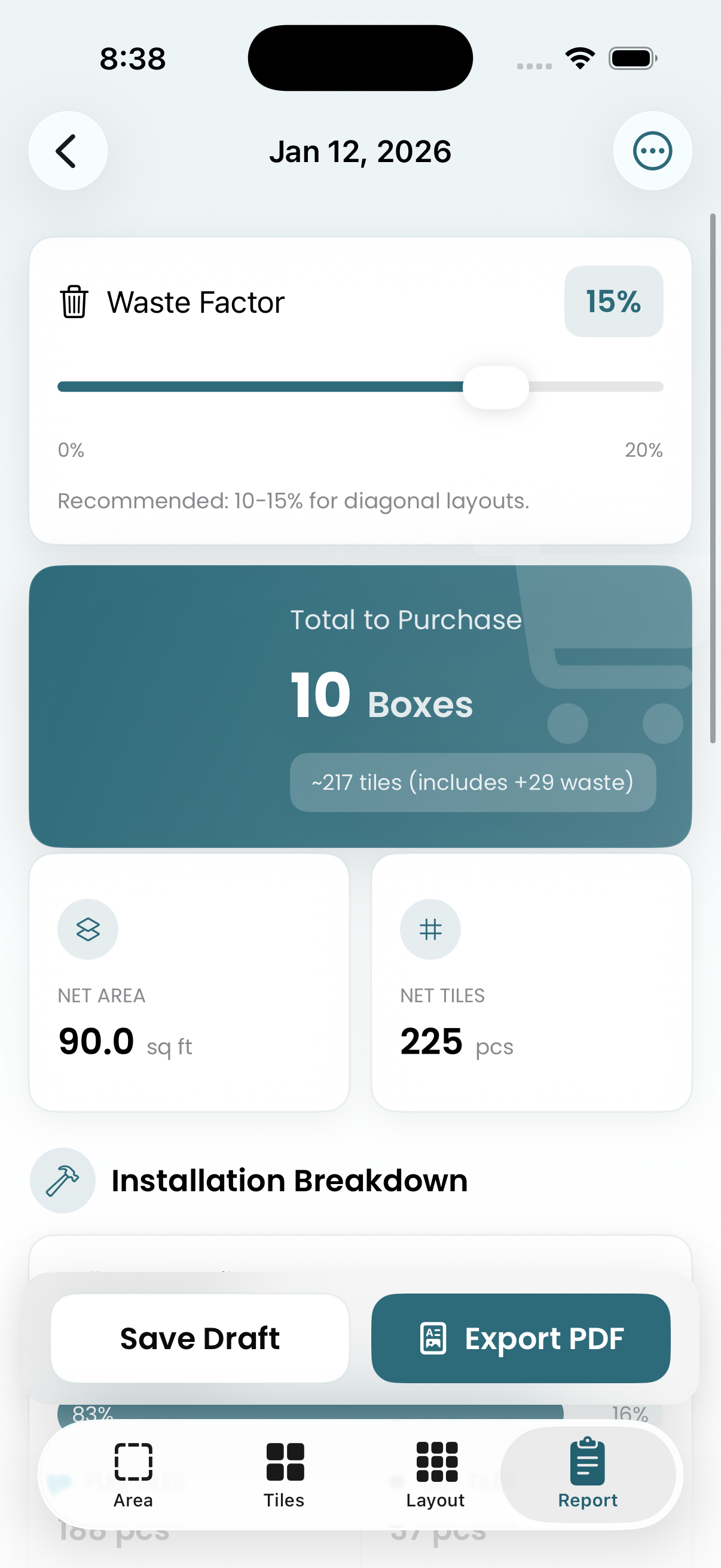
This is especially useful for contractors estimating jobs, but it's just as valuable for homeowners trying to avoid over- or under-ordering material.
How It Compares to Other Tools
- Visualization-first tools are good for design inspiration but poor for planning installs.
- Basic calculators are fast but inaccurate once cuts and patterns matter.
- TilePlan sits in between: visual enough to understand the layout, but precise enough to plan the work.
If your goal is simply to see how a tile looks on a wall, many tools will work. If your goal is to plan an installation properly, far fewer do.
Who TilePlan Is Best For
TilePlan is a strong fit for:
- Contractors planning jobs and estimating materials
- DIY homeowners who want confidence before ordering tile
- Designers who need layout logic, not just mockups
It's especially useful when rooms are irregular, patterns are complex, or material costs make mistakes expensive.
The Bottom Line
The best app for generating tile layouts is one that actually generates the layout.
If you want real tile placement, accurate cuts, honest material counts, and support for real-world room shapes — TilePlan does what most tools only approximate.
Frequently Asked Questions
Can a tile layout app replace a professional installer's experience?
A layout app handles the math and visualization, but it doesn't replace hands-on installation skill. What it does is give you (or your installer) a precise plan to follow, reducing guesswork and mistakes during the actual install.
Do tile layout apps work for wall tiles and backsplashes?
Most tile layout apps focus on floor plans, since walls involve different considerations like gravity and working vertically. However, the layout logic — tile placement, cuts, and waste — applies equally. You can model a wall as a flat surface in most apps.
How accurate are app-generated waste estimates compared to industry rules of thumb?
Apps that generate the actual layout produce significantly more accurate waste estimates than the standard "add 10-15%" rule. Because they know exactly where every cut falls, they can calculate real waste rather than applying a flat percentage.
It's free on the App Store for iPhone, iPad, and Mac.
Plan Your Tile Layout with TilePlan
Calculate materials, visualize patterns, and get accurate cut lists for any room shape.
Download Free on the App Store