
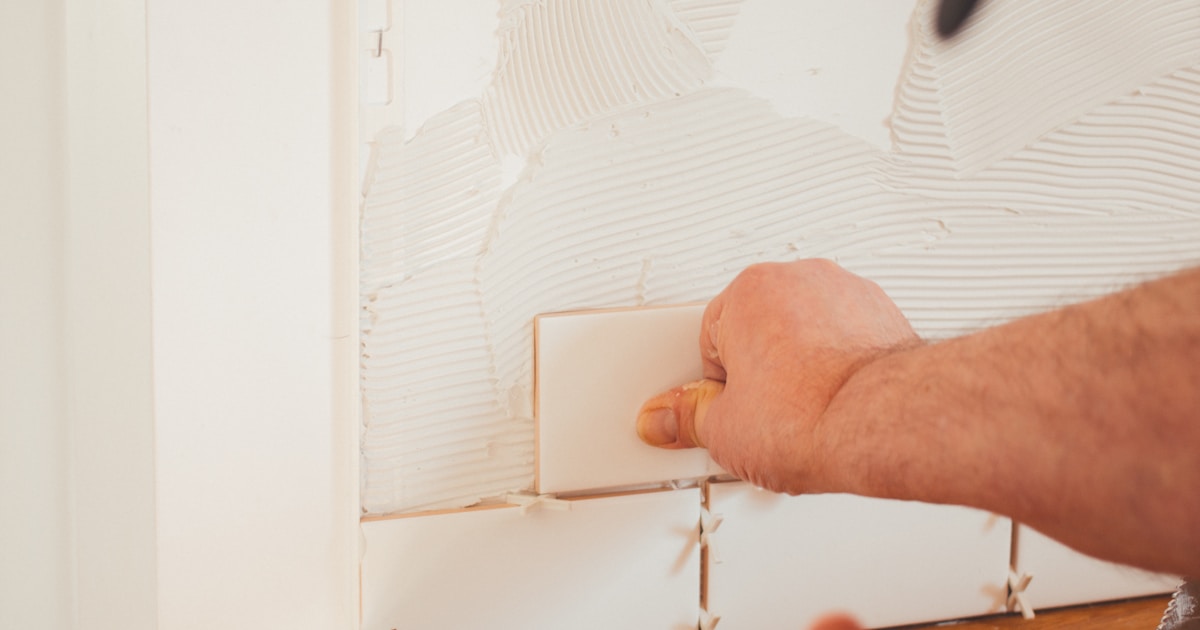
Order too few tiles, and you'll face delays and color matching issues. Order too many, and you've wasted money. Here's the exact formula professionals use to calculate tile quantities accurately.
The Basic Formula for Square and Rectangular Rooms
For a simple rectangular room, the calculation starts with finding your total square footage. Measure the length and width of your space in feet, then multiply them together.
Formula: Length (ft) × Width (ft) = Square Footage
For example, a bathroom that measures 8 feet by 10 feet equals 80 square feet.
Once you have your square footage, you need to account for the size of your tiles. If you're using 12-inch by 12-inch tiles, each tile covers exactly 1 square foot. But if you're working with different sized tiles, you'll need to do a bit more math.
Convert your tile dimensions to feet (a 6-inch tile is 0.5 feet), then multiply length by width to find the coverage per tile. Divide your total room square footage by the coverage per tile to get the number of tiles needed. For a detailed walkthrough of this conversion process, see our square feet to tiles conversion guide.
Why the Waste Factor Matters
Here's where many DIYers make a critical mistake: they order exactly the number of tiles their calculation suggests. In reality, you need to add a waste factor to account for cuts, breaks, and future repairs.
The waste factor percentage depends on several factors:
10% waste factor: Straight lay pattern in a simple rectangular room with experienced installer 15% waste factor: Diagonal patterns, or rectangular rooms with many cuts around fixtures 20% waste factor: Complex patterns like herringbone, or irregular room shapes with many corners
To add waste factor, multiply your square footage by 1.10 (for 10%), 1.15 (for 15%), or 1.20 (for 20%).
For our 80 square foot bathroom example with a 15% waste factor: 80 × 1.15 = 92 square feet of tile needed.
Calculating Tiles for Irregular Room Shapes
Not all rooms are perfect rectangles. L-shaped rooms, spaces with alcoves, or rooms with angled walls require a different approach.
The simplest method is to break the space into multiple rectangles. Measure each rectangular section separately, calculate the square footage for each, then add them together.
For an L-shaped room, you might have one section that's 10×8 feet (80 sq ft) and another that's 6×5 feet (30 sq ft), giving you a total of 110 square feet before adding your waste factor.
For truly irregular shapes with curves or multiple angles, it's often easiest to use a tile calculator tool like TilePlan that can handle complex room configurations and automatically apply appropriate waste factors.
Accounting for Obstacles and Cutouts
Don't forget to subtract areas that won't be tiled. This includes permanent fixtures like vanities, islands, or built-in cabinets.
Measure these obstacles and subtract their square footage from your total. However, if an obstacle is small (less than 1 square foot), it's often better to leave it in your calculation since you're already adding a waste factor.
For example, if you have a bathroom with 80 square feet but there's a 2×3 foot vanity base (6 sq ft), your actual tileable area is 74 square feet. Then apply your waste factor: 74 × 1.15 = 85.1 square feet.
Calculating Partial Boxes
Tiles are typically sold by the box, not individually. Each box covers a specific square footage, usually noted on the product label.
If a box covers 15 square feet and you need 92 square feet, divide 92 by 15 to get 6.13 boxes. Always round up to the nearest whole box, so you'd order 7 boxes.
Keep one unopened box if possible. If you need repairs in the future, having tiles from the same production batch ensures perfect color matching.
Special Considerations for Different Tile Sizes
Large format tiles (anything over 12×12 inches) actually generate more waste because each cut piece wastes more material. If you're using 24×24 inch tiles, consider using a 15-20% waste factor even for simple layouts.
Small mosaic tiles on mesh sheets have different calculations. These are usually sold by the sheet, and you'll calculate based on the sheet dimensions rather than individual tile sizes.
Subway tiles and other rectangular tiles have their own considerations, especially if you're using a pattern like herringbone or basketweave that requires precise cuts.
Double-Check Your Math
Before placing your order, verify your calculations:
- Remeasure your space to confirm dimensions
- Verify the coverage per box on your tile packaging
- Confirm you've added appropriate waste factor
- Add one extra box for future repairs
- Check the return policy in case you do over-order
A tile calculator can save you time and reduce errors. TilePlan handles all these calculations automatically, including waste factors and box quantities, so you can order with confidence.
When to Order Extra
Beyond the standard waste factor, consider ordering additional tiles if:
- This is your first tiling project
- The tile pattern is complex
- The tile is being discontinued
- You plan to tile adjacent areas in the future
- The room has many corners, angles, or obstacles
Frequently Asked Questions
How many extra tiles should I keep after a project is finished?
Keep at least 4–6 extra tiles from the same production lot. These are invaluable for future repairs — if a tile cracks years later, matching the exact color and batch is often impossible without spares.
Does tile size affect how many I need to buy?
The total square footage stays the same, but larger tiles typically mean fewer individual tiles and less cutting waste. However, large-format tiles generate bigger unusable offcuts per cut, so your waste factor may need to increase from 10% to 15–20%.
How do I calculate tiles for a room that isn't a rectangle?
Break the space into simple rectangles and triangles, calculate each section separately, then add them together. For truly complex shapes, a tile calculator app that supports custom room shapes eliminates the guesswork.
Taking the time to calculate accurately means starting your project with confidence, avoiding costly delays, and ensuring you have the exact materials you need from start to finish.
Plan Your Tile Layout with TilePlan
Calculate materials, visualize patterns, and get accurate cut lists for any room shape.
Download Free on the App Store