Choosing a tile pattern changes everything about a room — the visual feel, the installation difficulty, and the material cost. But it's hard to compare patterns in your head. What does herringbone actually look like in a 10' × 12' room? How many more cuts does it create versus straight stack?
With TilePlan's web app, you can switch between patterns instantly and see the real layout for each one.
The Patterns You Can Compare
Straight Stack
The simplest layout — tiles aligned in a grid. Clean, modern, and easy to install. Produces the fewest cuts and the least waste.
Best for: Large format tiles, minimalist spaces, beginners
Running Bond (Brick Pattern)
Each row is offset by half a tile width (or one-third for a 1/3 bond). The most popular pattern for subway tile and rectangular formats.
Best for: Subway tile, kitchen backsplashes, classic looks
Diagonal
Tiles rotated 45° to the walls. Adds visual interest and can make a small room feel larger. Creates more cuts at every wall edge.
Best for: Small rooms, square tiles, adding visual movement
Herringbone (90° and 45°)
Rectangular tiles arranged in a V-shape. Dramatic and high-end looking. Requires precise cuts and produces the most waste of any common pattern.
Best for: Feature walls, entryways, making a statement
Hexagon
Six-sided tiles in a honeycomb arrangement. Distinctive and trendy. Available in the flat-top orientation for a clean, modern look.
Best for: Bathroom floors, accent areas, geometric design
How Pattern Choice Affects Material Requirements
The same room and tile can require very different amounts of material depending on the pattern. Here's why:
Edge cuts increase with complexity. A straight stack in a rectangular room might only cut tiles along two edges. Herringbone creates cuts on all four edges, and many of those cuts are diagonal — meaning more waste per cut.
Offset patterns create partial tiles. Running bond shifts each row, so the tiles at the start and end of each row need cutting. The more offset, the more cuts.
Diagonal patterns cut every edge tile. When tiles are rotated 45°, every tile touching a wall needs a triangular cut. There are no "free" edges.
How to Compare in TilePlan
- Open app.tileplan.app
- Set up your room dimensions
- Choose your tile size
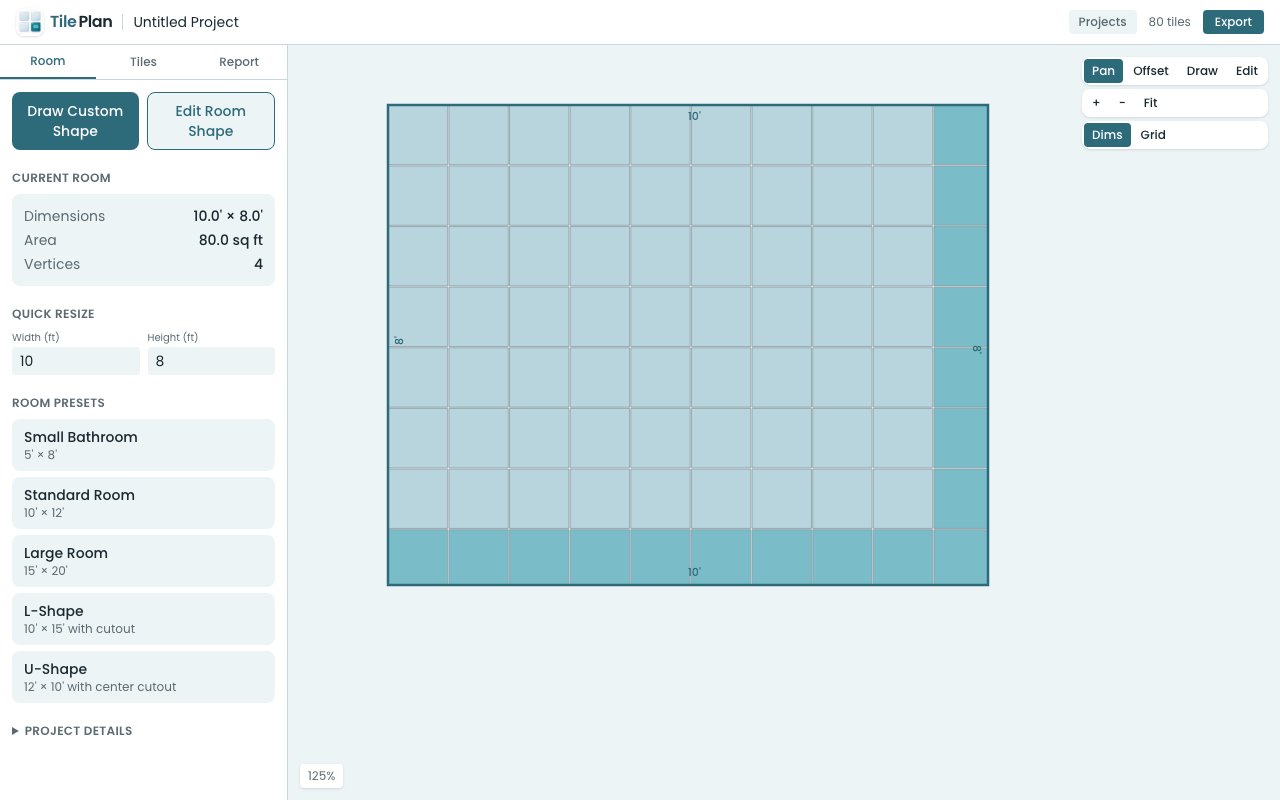
- Select a pattern — the layout renders immediately
- Switch to another pattern — compare the visual and the material count
- Check the Report tab for exact tile counts for each pattern
The layout updates in real time, so you can rapidly switch between options and see both the visual result and the material impact.
Pattern Compatibility
Not every pattern works with every tile shape:
| Pattern | Square | Rectangle | Hexagon |
|---|---|---|---|
| Straight | Yes | Yes | Yes |
| Brick (1/2) | Yes | Yes | — |
| Brick (1/3) | — | Yes | — |
| Diagonal | Yes | — | — |
| Herringbone 90° | — | Yes* | — |
| Herringbone 45° | — | Yes* | — |
*Herringbone requires rectangular tiles with a 2:1, 3:1, or 4:1 aspect ratio.
TilePlan automatically shows which patterns are compatible with your selected tile and explains why incompatible ones won't work.
Make the Decision With Data
Pattern choice is partly aesthetic and partly practical. TilePlan gives you the practical side — exact tile counts, cut complexity, and material cost — so you can make the aesthetic choice with full information.
Try it free at app.tileplan.app.
Plan Your Tile Layout with TilePlan
Calculate materials, visualize patterns, and get accurate cut lists for any room shape.
Download Free on the App Store