
Buying too little tile means a second trip to the store and hoping the same dye lot is still in stock. Buying too much means wasted money and boxes of tile sitting in your garage. Getting the estimate right matters.
Here's how to do it properly — and a free tool that does the math for you.
The Basic Formula (And Why It's Not Enough)
The standard approach:
- Measure room length × width = square footage
- Multiply by 1.10 to 1.15 for waste
- Divide by tile coverage per box
This works for a simple rectangle with large tiles in a straight pattern. It falls apart for:
- Small tiles — more grout lines, more edge cuts proportionally
- Complex patterns — herringbone and diagonal layouts waste more material
- Non-rectangular rooms — L-shaped bathrooms, alcoves, or angled walls
- Specific layouts — you might want to center the pattern or balance edge cuts
A Better Approach: Generate the Actual Layout
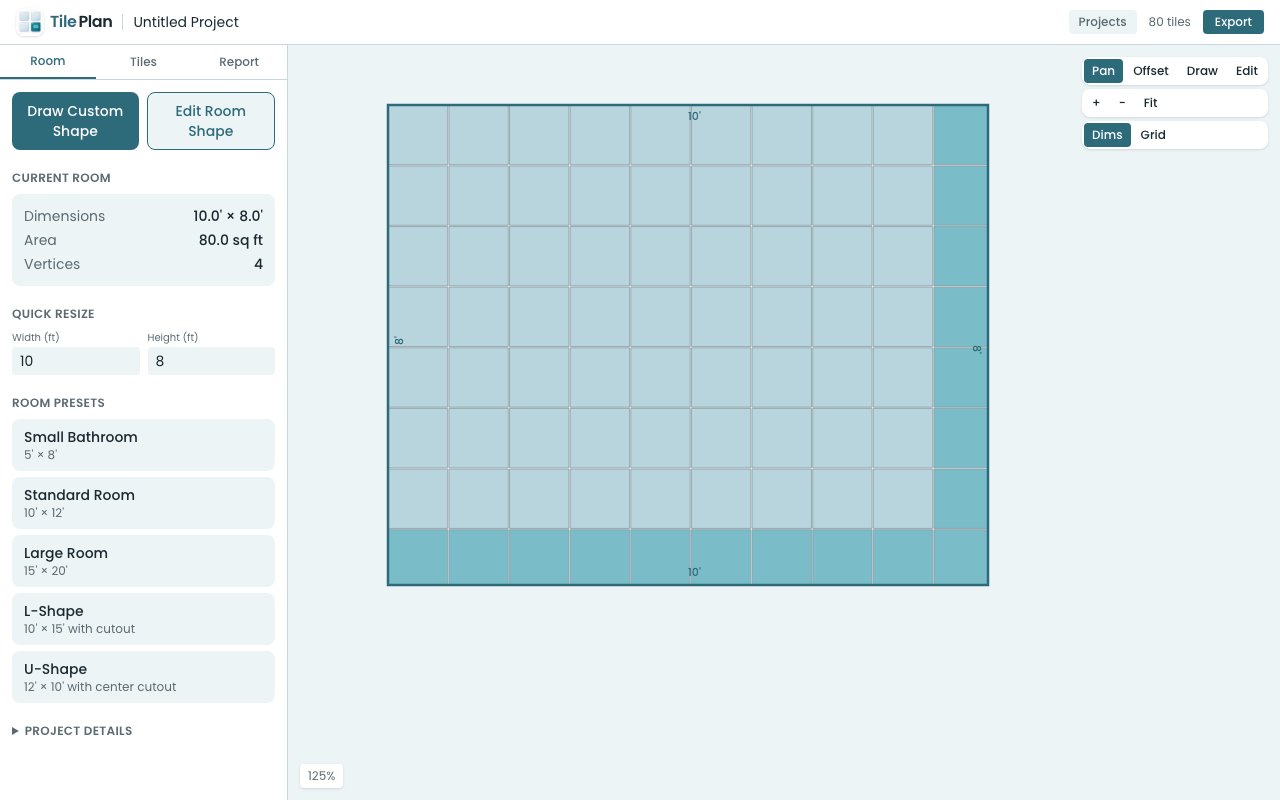
Instead of estimating, you can generate the real layout and count the tiles directly. TilePlan's web app does exactly this:
For a Standard Bathroom
- Select the Small Bathroom preset (5' × 8') or enter your exact dimensions
- Choose your tile — 12" square is common for bathroom floors
- Pick straight stack for a clean look or diagonal for visual interest
- The app shows every tile placement with cuts marked
For an L-Shaped or Irregular Bathroom
- Click Draw Custom Shape
- Click to place vertices matching your bathroom outline
- Include alcoves, closet nooks, or angled walls
- The layout engine handles concave shapes correctly — no workarounds needed
Understanding the Cut List
TilePlan's report breaks down your tiles into categories:
- Full tiles — no cutting needed
- Cut tiles — need to be trimmed to fit at edges and corners
- Recommended purchase — full tiles + cut tiles + waste buffer
The cut list groups similar cuts together. If you have 8 tiles that all need the same 3" trim, you'll see that as one line item — useful for batch-cutting.
Waste Factor Guidelines for Bathrooms
| Scenario | Recommended Waste Factor |
|---|---|
| Large tiles, rectangular room, straight pattern | 10% |
| Medium tiles, simple room, brick pattern | 12-15% |
| Small tiles or diagonal/herringbone pattern | 15-20% |
| Complex room shape or first-time DIYer | 20% |
In TilePlan, you can adjust the waste factor slider and see how it affects the purchase recommendation in real time.
Don't Forget the Grout
Grout gap affects the layout. A 1/8" grout line on 12" tiles means your effective tile spacing is 12.125" — which accumulates over a full room. TilePlan accounts for grout in its layout calculations, so the tile positions match what you'll actually install.
Try It Before Your Next Tile Purchase
Open app.tileplan.app, enter your bathroom dimensions, and get an accurate count in under a minute. Export the report as a PDF to bring to the store.
Plan Your Tile Layout with TilePlan
Calculate materials, visualize patterns, and get accurate cut lists for any room shape.
Download Free on the App Store