
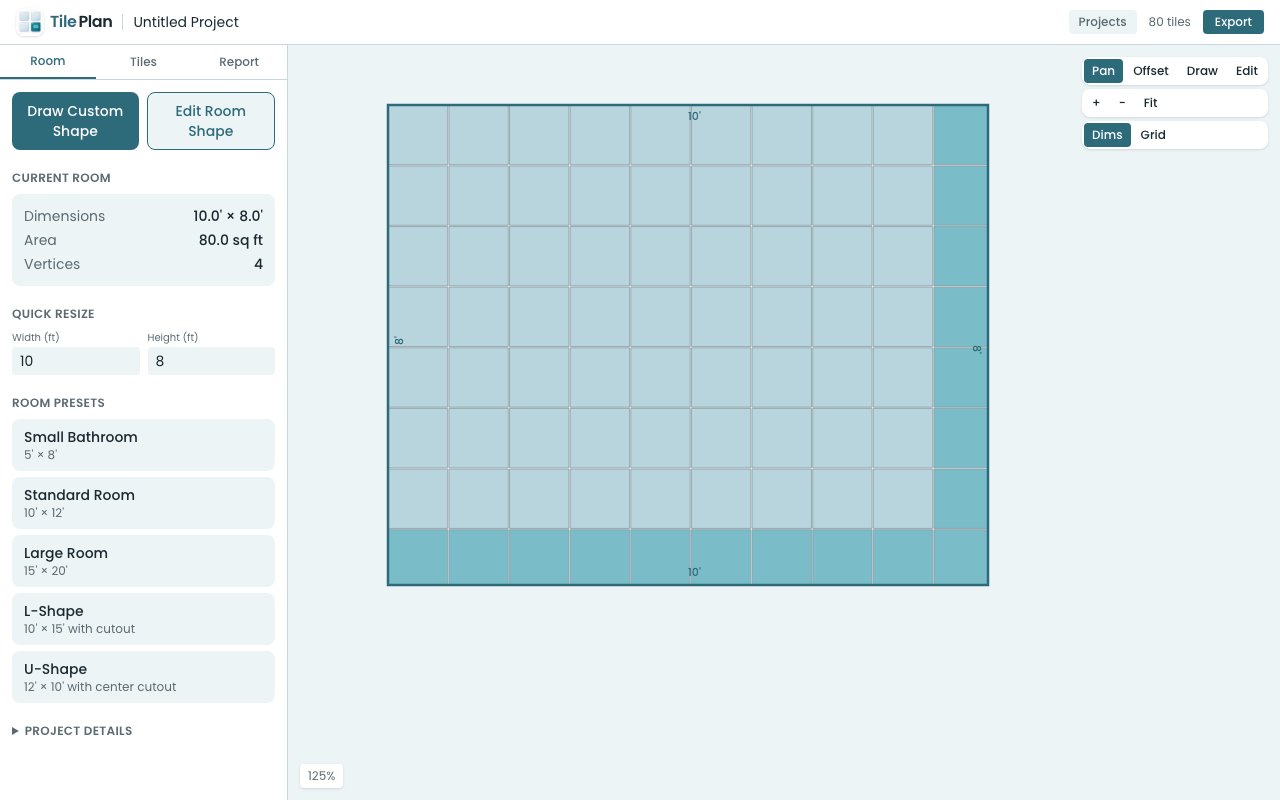
There are plenty of tile calculators that tell you "you need 47 tiles." But how many of those tiles need to be cut? Where do the cuts fall? How does a herringbone pattern change the count versus straight stack?
A tile layout calculator that generates the actual layout — not just an estimate — answers all of those questions. And now you can use one directly in your browser.
Calculator vs. Layout Generator
A basic tile calculator does this:
Room area ÷ tile area × waste factor = tiles to buy
That gets you in the ballpark, but it doesn't account for:
- Pattern-specific waste — herringbone creates more cuts than straight stack
- Edge conditions — a room that's 10'1" wide wastes more tile than one that's exactly 10'
- Cut complexity — diagonal cuts are harder (and more likely to break) than straight cuts
- Layout offset — shifting the pattern starting point can reduce waste significantly
A layout generator actually places every tile, clips it to the room boundary, and classifies each one as full or cut. That's what TilePlan does.
How the Browser Calculator Works
Open app.tileplan.app and you get a full layout engine running in your browser:
- Define your room — rectangle preset or custom polygon
- Set tile size — presets from 4" mosaic to 24" large format, or custom
- Pick a pattern — straight, brick, diagonal, herringbone, hexagon
- See the layout — every tile rendered, full and cut tiles color-coded
- Read the report — exact counts, purchase recommendation, cost estimate
- Export — PDF report, PNG image, or CSV cut list
The layout engine runs in a Web Worker, so it doesn't freeze your browser even when calculating thousands of tiles.
Patterns Make a Bigger Difference Than You Think
Here's a real example: a 10' × 8' room with 12×24" rectangular tiles.
| Pattern | Full Tiles | Cut Tiles | Total |
|---|---|---|---|
| Straight stack | 40 | 16 | 56 |
| Running bond (1/2) | 40 | 24 | 64 |
| Herringbone 90° | 32 | 36 | 68 |
Same room, same tile — but herringbone needs 21% more tile than straight stack because of all the diagonal cuts at the edges. A basic calculator wouldn't tell you that.
When to Use This Tool
- Before buying tile — know exactly how many to order
- Comparing patterns — see how different layouts affect waste and cost
- Planning a DIY project — visualize the job before cutting anything
- Quoting a job — give clients accurate material estimates
- At the tile store — pull it up on your phone, no app install needed
Free, No Account Required
The calculator runs entirely in your browser. No sign-up, no login, no data sent to a server. Your projects save locally in your browser's storage.
Try it at app.tileplan.app.
Plan Your Tile Layout with TilePlan
Calculate materials, visualize patterns, and get accurate cut lists for any room shape.
Download Free on the App Store